In today’s digital world, smartphone security is more important than ever. People keep personal photos, banking details, social media accounts and private chats on their devices. This sensitive information is protected by different types of screen lock systems like password, pin, fingerprint, face recognition. Among these ways, gesture screen lock is still one of the most popular and user-friendly ways for mobile users.
What is a Gesture Screen Lock?
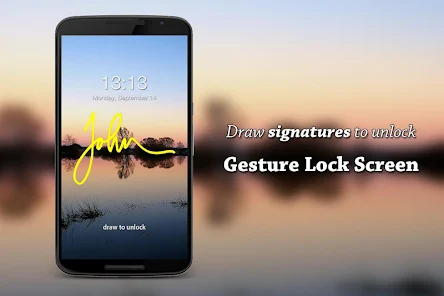
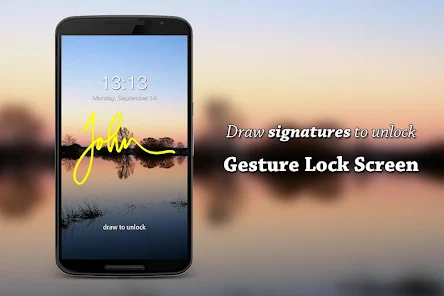
The gesture screen lock is a security feature that enables users to unlock the smartphone or tablet by drawing a particular pattern on the screen. Instead of typing numbers or passwords, users unlock their devices by connecting dots in a particular sequence. This is a technique that is widely available on Android smartphones, and is valued for its simplicity and speed.
The pattern is usually made on a 3×3 grid of dots. When the user draws the right pattern, the device unlocks immediately. Too many attempts to enter the pattern incorrectly can temporarily disable the phone or require additional verification.
How Gesture Screen Lock Functions
Gesture screen lock is done using touch recognition technology. The device memorizes the path of movement and the order of connected dots when a user sets a pattern. When a user tries to unlock the phone, the system compares the entered pattern with the saved pattern.
The process goes like this:
Security settings on the phone opened.
Select either “Pattern Lock” or “Gesture Lock.”
Draw a custom pattern by connecting dots.
Yet again, confirming the same pattern.
Saving the gesture as unlock method.
Now, the phone requires this gesture whenever the screen is locked.
Benefits of Gesture Screen Lock
- User Friendly
Gesture locks are easy and handy. Users can easily unlock their devices without needing to remember complex passwords.
- More rapid access
Drawing a pattern is usually quicker than entering a PIN or password, so it’s ideal for everyday use.
- Safer than passwords alone
Many users create weak passwords like “1234”. If the pattern is unique, then you can have better security through the gesture lock.
- User Friendly Interface
The visual pattern system is suitable for children and elderly users.
- No Typing Needed
Useful when you’re walking or holding something in one hand, etc and typing is not practical.
Drawbacks of Gesture Screen Lock
- Smudge Attacks 1.
Finger marks on the screen may sometimes show others the gesture pattern.
- Patterns that can be guessed
Some users create simple shapes, such as letters or straight lines, which make the lock easier to crack.
- Shoulder Surfing.
Someone nearby could see the unlocking gesture and remember it.
- Limited Combinatons
Long passwords have more possible combinations than gesture locks.
Tips for Making a Strong Gesture Lock
Users should follow these tips to enhance security:
No simple shapes or letters.
Use more complex and longer patterns.
Cross over several dots.
Change your pattern frequently.
Keep the screen clean, no smudges should be visible.
Enable extra security features like fingerprint or face recognition.
Gesture Lock versus Other Security Methods
Security Method Speed Security Ease of Use
Fast Gesture Lock Medium Easy as hell
PIN Code Medium Medium Easy
Password Slow High Moderate Finger PrintVery Fast High Very Easy
Face Unlock Fast High Easy
Gesture locks are convenient but biometric security such as fingerprint and facial recognition generally provide better protection.
Significance of mobile security
With the increasing growth of cyber threats, smartphone security is a must. Devices left unprotected can be misused by hackers and unauthorized users of personal data. The gesture screen lock is the first line of defense against unauthorized access.
Modern smartphones also allow users to combine gesture locks with extra layers of security, improving the overall level of protection.
Abstract
Gesture screen lock is a great and handy way to protect your smartphone and tablet. It’s easy to use, fast to access and user-friendly. It’s popular with millions of users around the world. Though not as secure as advanced biometric approaches, a well designed and strong gesture pattern can still provide reliable protection for everyday mobile use. By practicing good security habits, users can protect their personal information while taking advantage of the convenience of gesture-based unlocking systems.