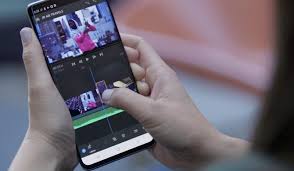
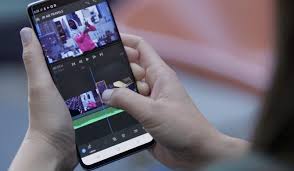
Video content is the king of the digital world today, reigning social media, YouTube, marketing, and personal storytelling. Whether you are a content creator, vlogger, student, or business owner, having a professional video editor on your Android device can make a huge difference. A pro video editor for Android helps users to edit videos anywhere anytime without a powerful computer.
Why Use Professional Video Editor on Android?
Smartphones are powerful beyond belief and modern Android devices can handle advanced video editing with ease. Professional video editing apps have the following features:
Multi-layer editing 4K video export
Visual effects and transitions
Animated text
Color corrections
Editing green screen
Audio enhancement
Speed control & slow motion
These tools allow users to create cinematic-quality videos straight from their phones.
Top Features of Professional Video Editors
- User-Friendly Interface
Most professional Android video editors come with beginner-friendly interfaces. Editing is smooth and fast with drag-and-drop timelines, quick trimming tools and simple controls.
- Advanced Editing Tools
Professional apps give you advanced tools such as keyframe animation, chroma key, masking, and motion tracking. These features allow creators to produce high-quality content comparable to desktop editing software.
- Export high quality
A good pro video editor supports HD and 4K exports in high frame rate. That gives videos a sharp, professional look on sites like YouTube, Instagram and TikTok.
- Music & Sound Effects
Many apps offer royalty-free music libraries, voice-over recording, and sound effects to enhance the quality of videos and engage the audience.
- Effects and Templates
Ready-made templates, transitions, filters and cinematic effects save time and allow creators to produce visually appealing videos quickly.
Best Pro Video Editors for Android
Here are some of the most popular video editing apps for Android users:
KineMaster
KineMaster is known for its powerful editing features such as multi-layer editing, blending modes, transitions, and precise trimming tools. It’s popular among YouTubers and social media creators.
CapCut
CapCut has modern editing tools, AI-powered effects, auto captions and trending templates. It’s super popular with TikTok and short video creators.
Adobe Premiere Rush.
Adobe Premiere Rush is a professional video editing app with cloud sync and cross-platform support.
Power Director
PowerDirector is a professional-level tool with advanced features like motion graphics, green screen editing, and 4K rendering.
Video Editor VN
VN Video Editor is a free, but powerful editing app with no watermark. It is a great choice for beginners and pros.
Advantages of Mobile Video Editing
Benefits of using an Android video editor:
Edit videos anywhere
Saving Time Without a Computer
Upload to social media instantly!
How to make professional videos with little equipment
Cloud storage access and online templates
Mobile editing is particularly beneficial for influencers, vloggers, travelers, and students who require fast and efficient editing solutions.
Tips for Making Professional Videos
Tips on how to get the most out of your Android video editor:
Use good lighting for recording
Use a tripod or gimbal to keep videos stable
Use background music sparingly
Use subtle effects instead of overblown effects
HD Export videos
Keep your edits clean and interesting Summary
Android Pro Video Editor can turn your smartphone into a full video production studio. Android video editing apps provide users with powerful editing tools, high-quality effects, and easy sharing options to create stunning videos for social media, YouTube, business promotions, and personal projects. Regardless of whether you are a beginner or an experienced creator, the right video editing app can improve the quality and creativity of your content.